
Looking for the best X Twitter browser extensions in 2026? X has more than 600 million monthly active users, and its algorithm now rewards replies and conversations far more heavily than raw posting volume. The native web interface doesn't help you work that way — it lets you post, reply and scroll, and very little else. The right X Twitter browser extensions close that gap: competitor patterns, a cleaner feed, thread scheduling, and analytics placed where you're already looking.
One warning before the list. An entire sub-category of these tools quietly stopped being viable in February 2026, and most store listings still haven't caught up. That's covered below, because installing one of those is the fastest way to put your account at risk.
The problem? There are hundreds of Chrome extensions claiming to help with Twitter. Most are outdated, abandoned, or outright unsafe for your account. Some haven't been updated since before X's API overhaul in 2023. Others violate X's Terms of Service and can get your account suspended.
This guide covers the best extensions for Twitter and X still worth installing in 2026, judged on what each one currently does rather than what its store listing claims. It ranks 15 across six categories — AI engagement, scheduling, analytics, content creation, UI customization, and audience management — so you can build the right extension stack for your specific goals.
Why an extension still beats the native X interface#
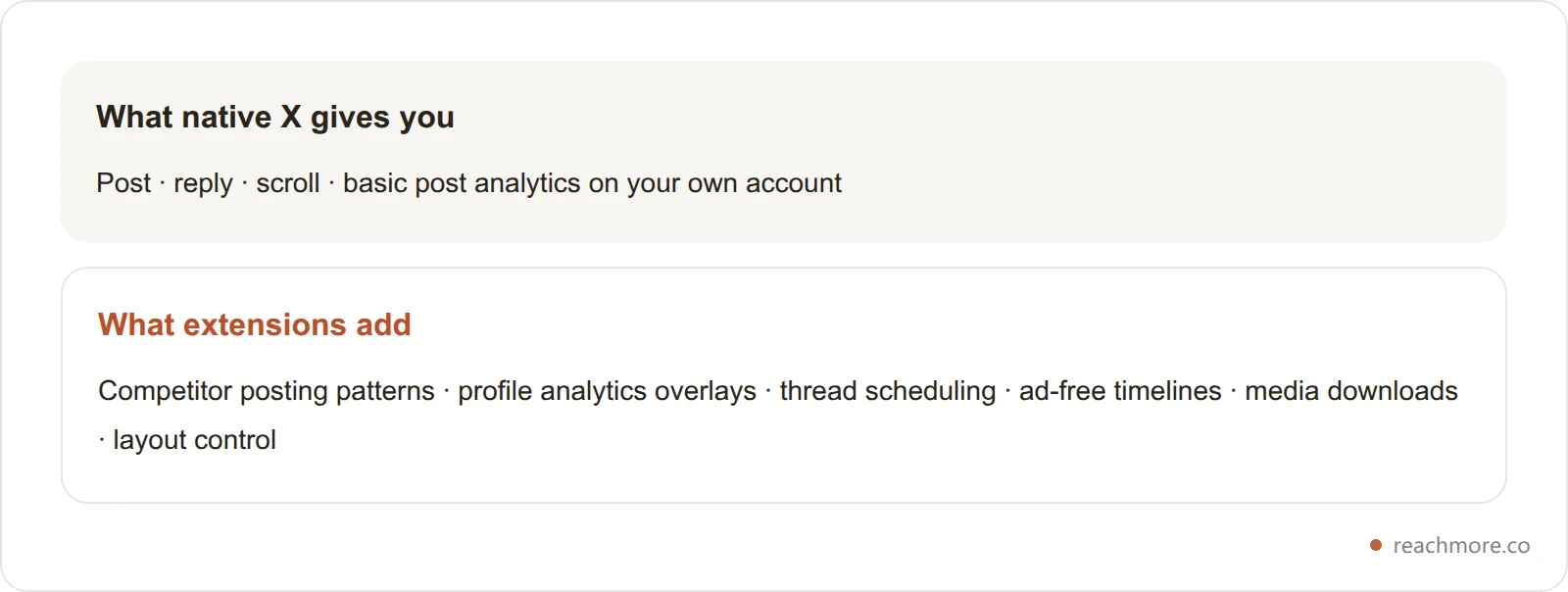
The native X web experience is functional but limited for anyone serious about growth. You can post, reply, and scroll — but you can't analyze competitor posting patterns, generate AI-powered replies at scale, schedule threads with precision timing, or clean up your follower graph without leaving the platform.
Browser extensions for X solve this by embedding powerful tools directly into the X.com interface. Instead of switching between five different dashboards, everything lives inside the tab you're already using. That reduced friction isn't just a convenience — it fundamentally changes how much you can accomplish in the same amount of time.
The X algorithm in 2026 uses several ranking signals to determine which posts get distributed. Reply depth and conversation quality are now weighted more heavily than likes or retweets. Accounts that consistently engage in conversations — especially early replies to accounts with large followings — see disproportionate reach. This algorithmic shift has made engagement-focused browser extensions, particularly those with AI reply capabilities, significantly more valuable than pure scheduling tools.
For a deeper breakdown of how the algorithm actually works, see our detailed guide on the Twitter X Algorithm 2026 Explained.
How these 15 were judged#
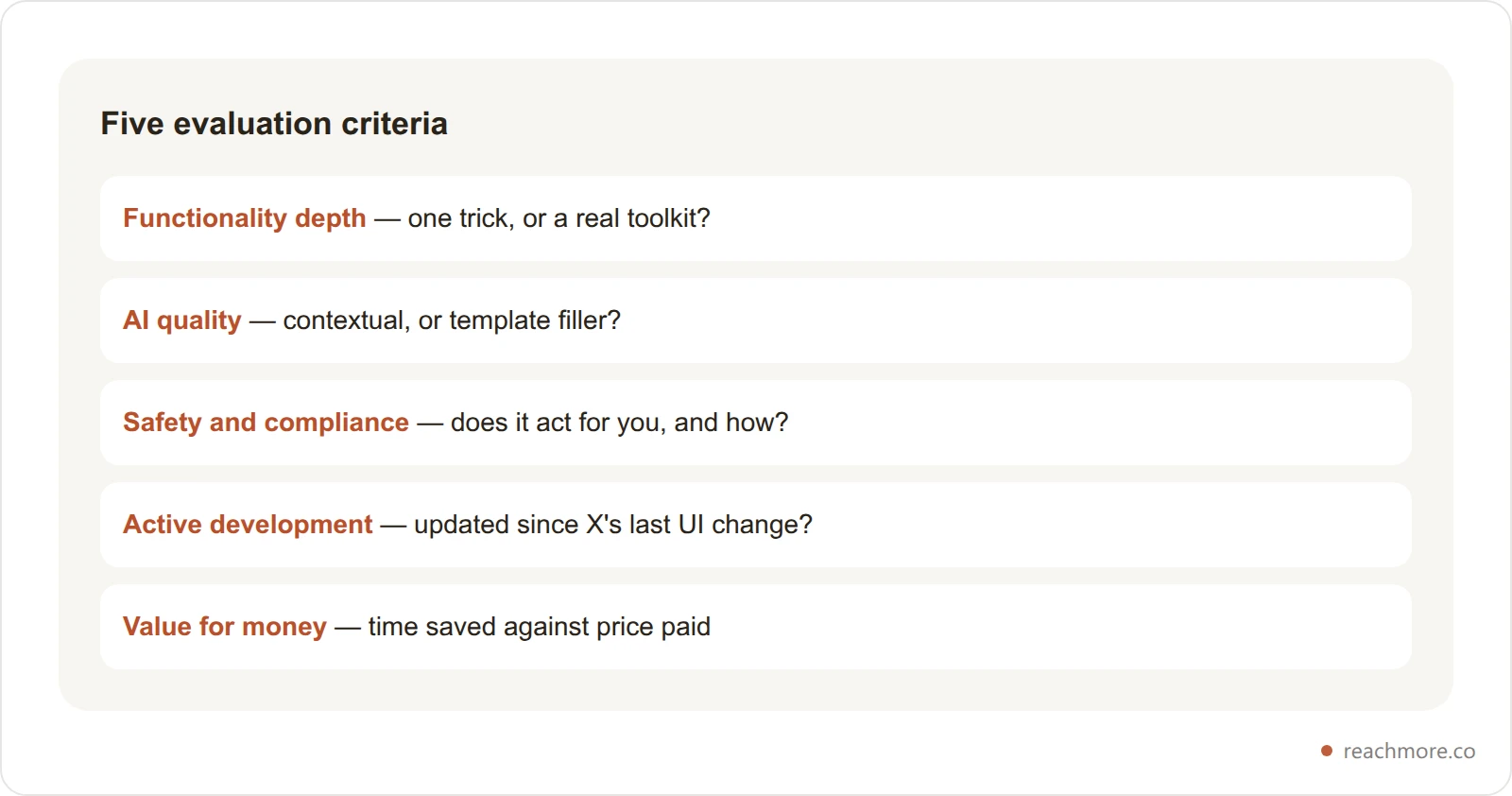
To keep this useful rather than a list of names, every one of these X Twitter browser extensions was judged against five criteria:
Functionality depth measures whether the extension does one thing or provides a comprehensive toolkit. An extension that only adds a download button is useful but narrow; one that provides AI replies, analytics, and scheduling in a single package delivers far more value.
AI quality has become the critical differentiator among browser extensions for X in 2026. Extensions that generate contextual, on-brand AI content are in a completely different tier from those producing generic template responses.
Safety and compliance matters because X has significantly tightened enforcement against automation that violates their Terms of Service. Any extension using mass follow/unfollow, fake engagement, or bot-like behavior patterns puts your account at risk.
Active development ensures the extension works reliably with X's current interface. Extensions that haven't been updated in 6+ months frequently break when X ships UI changes, which happens regularly.
Value for money considers what you get relative to what you pay. A free extension that saves you 10 minutes a day is good. A paid one that saves you two hours a day is excellent. Price alone tells you very little.
AI engagement: the category with a catch#
AI-powered engagement is the most sought-after category here, and the one where you need to read the fine print. The X algorithm rewards replies and conversations above all other activity, so tools that help you reply faster and better should translate directly into reach. The catch is what X permits a tool to actually send.
1. ReachMore — the web app that replaced the AI reply extension#
Category: AI engagement | Pricing: credit wallet, no subscription | Not a browser extension
Worth being upfront, since this is a list of extensions: ReachMore isn't one. It's a web app you open in a tab — nothing to install, nothing running inside X.com. It's on this list because it's the honest answer to what most people are searching for when they look for an "AI reply extension," and because this category has a problem nobody in it discloses.
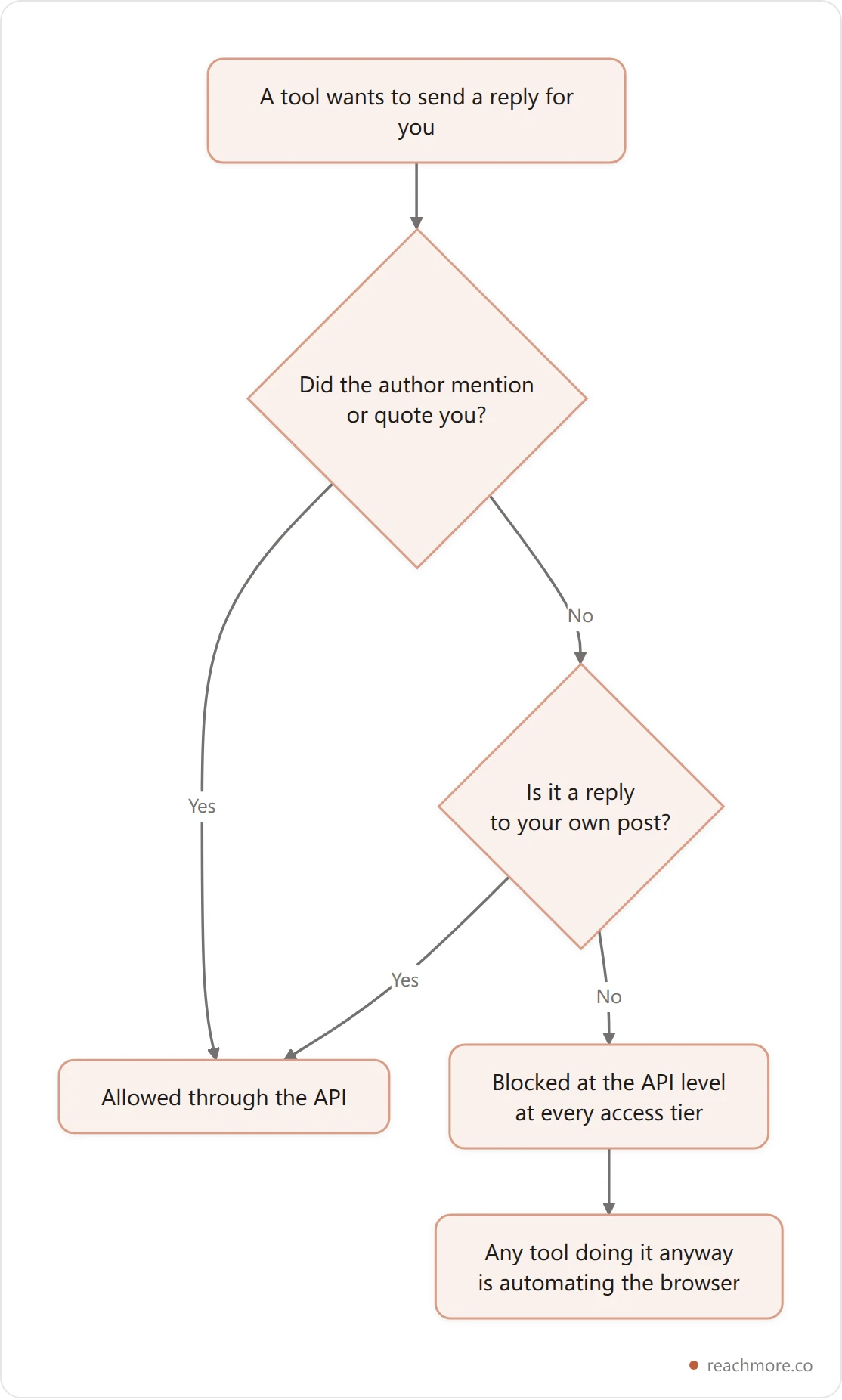
Here's the problem. Since February 2026, X blocks programmatic replies at the API level unless the original author mentioned or quoted you. That block applies at every access tier, so paying more doesn't lift it. Which means any extension advertising "AI replies to any post in your feed" is not calling X's API at all — it's injecting scripts into the page and clicking Reply for you. That's interface automation, and it's the exact pattern enforcement looks for.
ReachMore works on the sanctioned side of that line:
Composer and scheduler for your own posts and threads.
AI drafts in your configured voice, so a post reads like you wrote it.
A mention approval queue. When someone mentions or quotes you, ReachMore drafts a reply and holds it until you approve it. Nothing sends without you — which is what keeps it inside X's rules.
An inbound-only DM autoresponder with a STOP opt-out, for people who message you first.
A workflow builder for chaining those actions, plus insights on your own post performance.
A native MCP server with 17 tools, if you'd rather drive the account from Claude or another MCP client.
Pricing: a credit wallet rather than a subscription. You top up once, credits never expire, and you're charged only when an action actually succeeds. Publishing a post is 15 credits, an AI draft 2, a reply to a mention 10, reading one of your own posts 1. Scheduling costs nothing until the post goes out, so a quiet month costs nothing at all.
Who it's for: creators and founders who want the publishing and engagement workflow without installing anything into their browser, and who'd rather their tooling stay on the right side of X's automation rules. Open ReachMore →
Who it's not for: anyone who specifically wants an overlay inside X.com. That's what the other fourteen entries are for.
2. Tweet Hunter X — Best for Content Discovery#
Category: AI Engagement + Content Discovery | Price: Free (basic) / Paid with TweetHunter subscription | Rating: ⭐⭐⭐⭐
Tweet Hunter X (formerly Twemex) replaces X's sidebar with a suite of productivity-focused panels. Its standout feature is "Highlights," which surfaces the best-performing posts from any profile you visit. Instead of scrolling through someone's entire post history to find their top content, you see it instantly.
Additional features include "On This Day" recalls that show historical posts, "Our Conversations" which tracks your interaction history with specific accounts, and an enhanced search experience with shortcuts for targeted prospecting.
The extension is free to use for basic features. AI-powered features — including viral tweet inspiration and an AI writing assistant — require an active Tweet Hunter subscription, which starts at approximately $49/month. The AI content generation leans toward tweet creation rather than contextual replies, making it complementary to ReachMore rather than a direct replacement.
Who it's best for: Content researchers, B2B marketers doing social selling, and creators who need a steady stream of content inspiration directly within the X interface.
3. Replai — AI Comments for X and LinkedIn#
Category: AI Replies | Price: Free tier available | Rating: ⭐⭐⭐
Replai generates AI-powered comment suggestions for both X and LinkedIn from within the browser. It uses GPT-4 to produce personalized responses and claims to make commenting 10x faster.
The extension is useful for users who split their time between X and LinkedIn and want a single AI assistant for both. However, the reply quality is noticeably less contextual than ReachMore's — Replai tends to produce safe, agreeable responses rather than strategically differentiated ones. It also lacks features like Custom Intents or tone switching.
Who it's best for: Users who want basic AI reply assistance across both X and LinkedIn without paying for a premium tool.
Scheduling and publishing#
If your primary content format on X is threads, scheduled posts, or content that needs to go out at specific times, these extensions integrate scheduling directly into your browser workflow.
4. Hypefury — Best for Thread Scheduling#
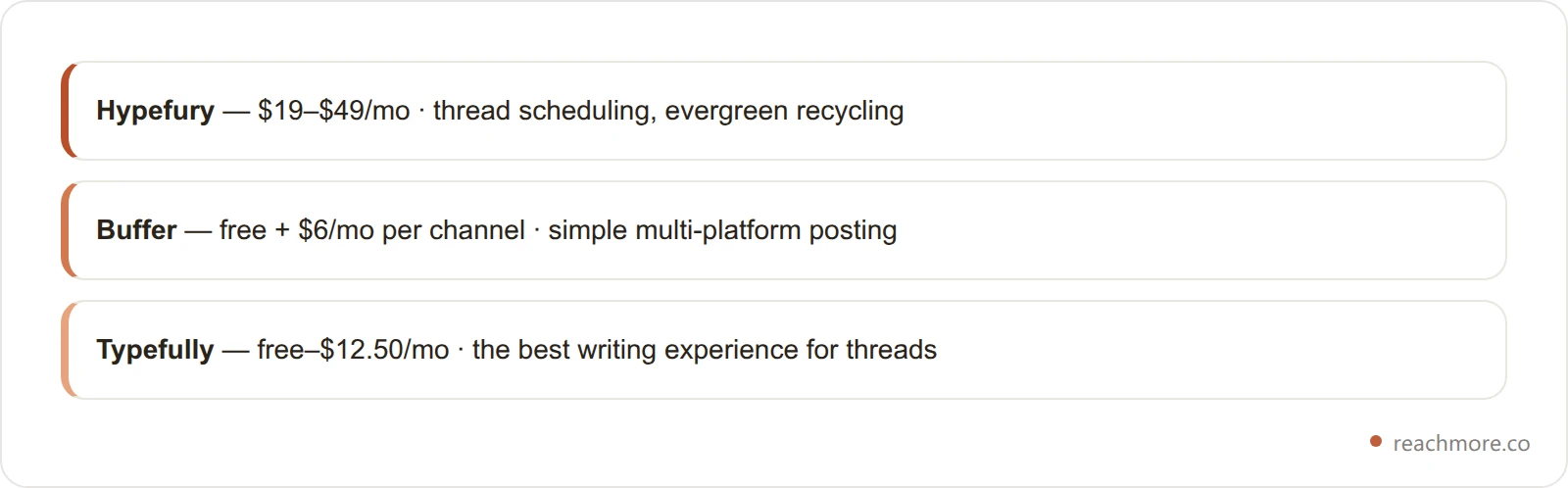
Category: Scheduling + Content | Price: $19–$49/month | Rating: ⭐⭐⭐⭐
Hypefury is the most polished scheduling tool for X creators who treat the platform as a content publishing channel. Its thread builder lets you draft, preview, and schedule long-form threads with precise timing optimization. The standout feature is Evergreen Recycling, which automatically requeues your best-performing posts to surface them to new audiences weeks or months later.
Additional features include Auto-Retweet (retweet your own posts on a schedule to reach different time zones), Auto-Plug (automatically add a call-to-action when a post hits an engagement threshold), and an Inspiration Feed with high-performing posts from accounts you follow.
Hypefury's AI capabilities for engagement are basic compared to ReachMore. It works best as a scheduling complement alongside an engagement-focused tool. For a more detailed assessment, see our complete automation tools comparison.
Who it's best for: Content creators, newsletter writers, and personal brand builders whose primary X format is threads and scheduled posts.
5. Buffer Browser Extension — Best Budget Multi-Platform Scheduler#
Category: Scheduling | Price: Free + $6/month per channel | Rating: ⭐⭐⭐
Buffer's Chrome extension lets you schedule posts to X (and multiple other platforms) directly from any webpage. Highlight text, click the Buffer icon, customize your post, and schedule it with optimal timing. The extension is lightweight, reliable, and requires almost zero learning curve.
Buffer supports X, Instagram, Facebook, LinkedIn, Pinterest, TikTok, and other platforms from a single interface. For small businesses maintaining a basic presence across multiple channels, the per-channel pricing model is cost-effective.
The limitation is clear: Buffer has no AI capabilities, no engagement features, and no X-specific functionality beyond basic scheduling. It's a pure publishing tool.
Who it's best for: Small businesses and beginners who need simple, affordable multi-platform scheduling.
6. Typefully — Best Writing Experience for Threads#
Category: Scheduling + Writing | Price: Free–$12.50/month | Rating: ⭐⭐⭐⭐
Typefully offers the cleanest distraction-free writing experience for X threads of any tool in the market. The browser companion works alongside their web app, providing analytics on which topics resonate, best-time-to-post recommendations based on your specific audience data, and collaborative drafting for teams.
Like Buffer and Hypefury, Typefully is a content tool, not an engagement tool. For growth in 2026, pair it with ReachMore to cover both publishing and engagement.
Who it's best for: Writers, thoughtful creators, and teams who prioritize thread quality and need data-driven content decisions.
Analytics and insights#
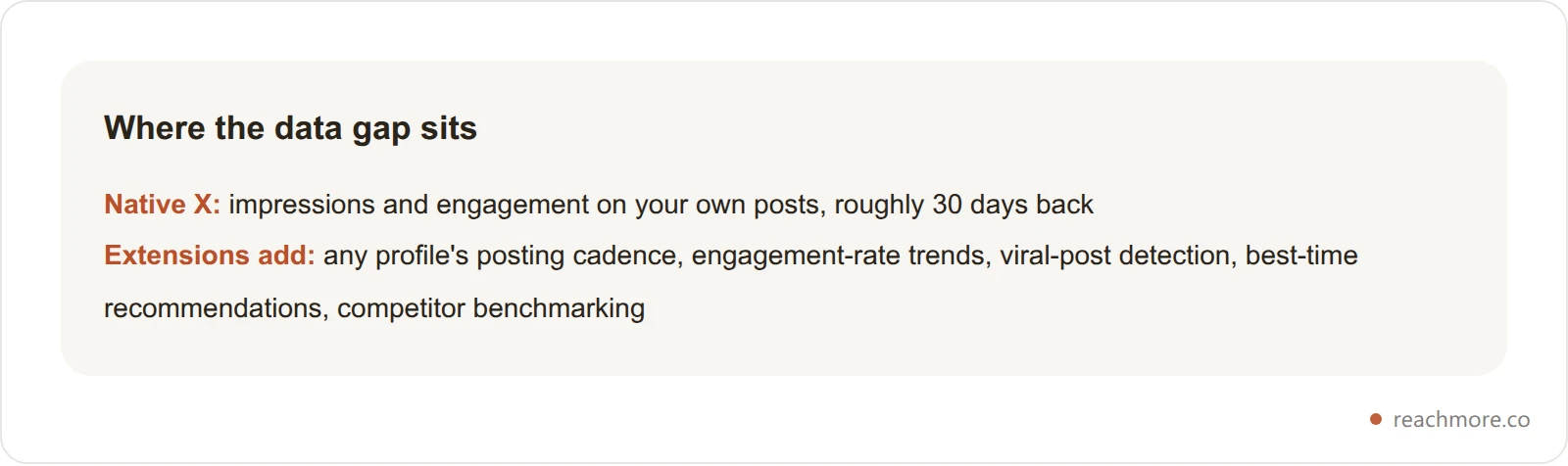
Understanding what's working on your X account — and what your competitors are doing — requires data that X's native analytics don't provide.
If you'd rather read your own numbers outside the browser, ReachMore's insights run on your own post history — billed per action, so a look costs about a credit.
7. SuperX — Best All-in-One Analytics Extension#
Category: Analytics + AI | Price: Free tier / Premium available | Rating: ⭐⭐⭐⭐
SuperX is one of the most feature-dense browser extensions for X available. It provides a sidebar analytics dashboard including engagement rate graphs, best and worst performing post analysis, follower tracking, and AI-powered insights. It also includes a tweet scheduler, an AI writing assistant, and a library of over 10 million viral posts for inspiration.
The real value is in the analytics overlay that appears directly within the X interface. You can see posting frequency, engagement patterns, and content performance for any account without leaving X.com.
Who it's best for: Power users and marketers who want comprehensive analytics without switching to external dashboards.
8. OpenTweet Companion — Best Free Analytics Extension#
Category: Analytics | Price: Free | Rating: ⭐⭐⭐
The OpenTweet Companion extension adds profile analytics directly to X.com. Visit any profile and instantly see their posting patterns, consistency metrics, and engagement data. It also highlights viral posts that perform far above an account's average and provides AI-powered posting time recommendations.
The extension itself is completely free and pairs with OpenTweet's scheduling platform (which has a free trial). For a no-cost entry point into X analytics, it's hard to beat.
Who it's best for: Creators and marketers who want free profile analytics for competitor research.
9. Kleo — Content Discovery and Analytics#
Category: Content Discovery | Price: Free tier available | Rating: ⭐⭐⭐
Kleo is a browser extension that helps you discover high-performing content on X and understand what makes it work. It surfaces viral posts, trending content patterns, and engagement insights to inform your own content strategy.
Who it's best for: Content strategists who want data-backed inspiration for their X posts.
UI customization and cleanup#
X's default interface includes ads, promotional content, algorithmic suggestions, and design choices that many users find distracting. These extensions clean things up.
10. Old Twitter Layout — Best for Interface Nostalgia#
Category: UI Customization | Price: Free | Rating: ⭐⭐⭐⭐
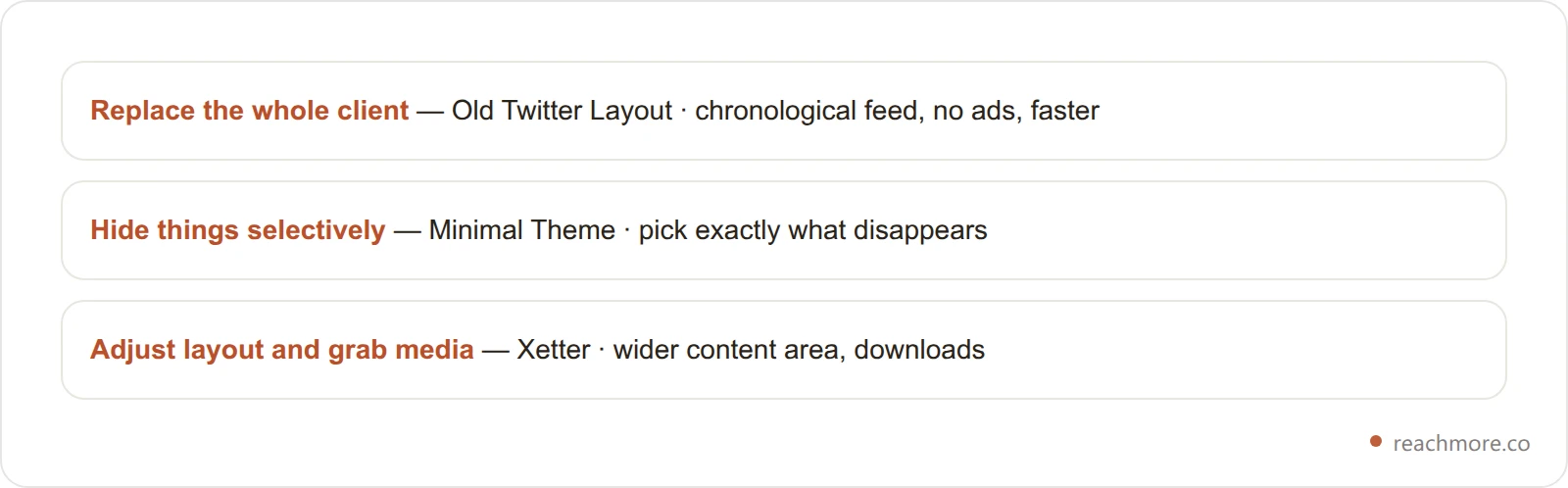
Old Twitter Layout is a full client replacement that brings back the 2015/2018 Twitter interface. It's not a CSS overlay — it's an entirely different client built on top of X's API, which makes it significantly faster than the native interface. It features a chronological timeline by default, removes all ads, supports video and GIF downloading, tweet translation, custom CSS, and dark mode.
The extension has been consistently updated through 2026 and is fully open source on GitHub. It has a 4.5-star rating on the Chrome Web Store with active maintenance.
Who it's best for: Users who prefer the classic Twitter interface and want an ad-free, faster browsing experience.
11. Minimal Theme for Twitter — Best for Focus#
Category: UI Customization | Price: Free | Rating: ⭐⭐⭐⭐
Minimal Theme takes a surgical approach to decluttering X. Instead of replacing the entire interface, it lets you selectively hide elements: promoted posts, trending sidebar, "Who to follow" suggestions, vanity metrics, and specific navigation tabs. The "Zen Mode" hides nearly everything except the core timeline.
Available for Chrome, Safari, and Firefox, it's one of the few browser extensions for X with cross-browser support.
Who it's best for: Anyone who finds X's interface distracting and wants to customize exactly what they see without losing the native experience.
12. Xetter — Best for Media Downloads and Layout Control#
Category: UI Customization + Media | Price: Free | Rating: ⭐⭐⭐
Xetter lets you adjust X's layout (expand content area, hide sidebars), download photos, videos, and GIFs in the best available quality, and highlight your interactions for better visibility. It's lightweight, privacy-respecting, and available in 11 languages.
Who it's best for: Users who frequently download media from X or want simple layout adjustments.
Content creation and repurposing#
Creating and repurposing content directly from within X saves significant time for active creators.
13. TextCortex — Best AI Writing Assistant#
Category: AI Writing | Price: Free tier / Premium | Rating: ⭐⭐⭐
TextCortex is a general-purpose AI writing assistant that works across 2,000+ websites including X. You can teach it about your company and brand voice, and it generates contextual content in over 25 languages. On X specifically, it helps with composing tweets, rewriting drafts in different tones, and expanding short ideas into longer posts.
The distinction from ReachMore is important: TextCortex is a writing assistant (helps you create original content), while ReachMore is an engagement tool (helps you reply to others' content). They serve different functions and can be used together.
Who it's best for: Multilingual creators and businesses that need AI writing assistance across multiple platforms, not just X.
14. Contentdrips — Best for Repurposing Threads into Carousels#
Category: Content Repurposing | Price: Free | Rating: ⭐⭐⭐
Contentdrips lets you turn Twitter threads and individual tweets into visual social media posts and carousels with one click. After installing, a "Repurpose" button appears next to tweets. Click it, and Contentdrips copies the content into editable templates for LinkedIn, Instagram, and other platforms.
Who it's best for: Creators who actively repurpose X content for other social platforms.
Audience management#
Maintaining a healthy, engaged follower graph is an underappreciated growth lever. These extensions help with the cleanup.
15. Circleboom — Best for Follower Cleanup#
Category: Audience Management | Price: $9–$35/month | Rating: ⭐⭐⭐
Circleboom provides detailed breakdowns of your followers — identifying bots, spam accounts, inactive users, and accounts outside your target demographic. Its bulk unfollow and whitelist tools let you systematically clean your following list. Basic scheduling across multiple social platforms is also included.
One caution: bulk follow and unfollow churn is among the fastest ways to get an account actioned, so keep the pace human and treat any tool in this category carefully. It's the reason ReachMore deliberately doesn't offer follow/unfollow automation at all.
Who it's best for: Social media managers and accounts with bloated follower graphs that need systematic cleanup.
Recommended stacks for 2026#
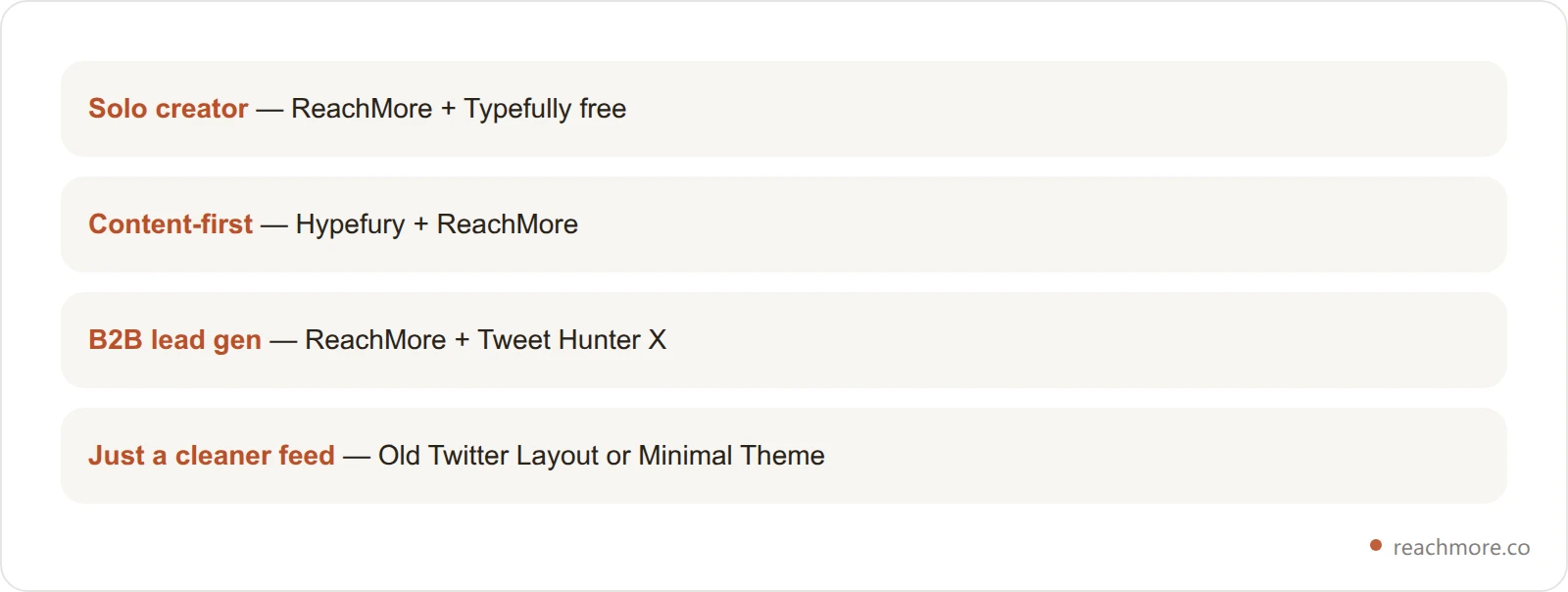
No single extension does everything. The most effective approach is combining 2–3 extensions that cover different functions without overlap. Here are the recommended stacks based on your situation:
Solo creator or founder building a personal brand: ReachMore (publishing plus a mention approval queue) + Typefully's free plan (thread writing). ReachMore bills per action from a credit wallet, so a light month runs a couple of dollars and an idle one costs nothing.
Content-first creator who posts daily threads: Hypefury (scheduling and threads) + ReachMore (AI drafts and mention handling). Hypefury's subscription covers content planning; ReachMore adds per-action publishing and the approval queue on top of it.
B2B marketer using X for lead generation: ReachMore (mention handling, inbound DM autoresponder, scheduling) + Tweet Hunter X (content research and prospecting). Tweet Hunter X helps you find the accounts; ReachMore handles what happens on your own.
Someone who just wants a cleaner X experience: Old Twitter Layout or Minimal Theme (both free). These improve the browsing experience without any engagement or content features.
For more on building a complete X growth strategy, check our How to Grow on X Twitter in 2026: The 10,000-Follower Blueprint.
X Twitter browser extensions to avoid in 2026#
Not every extension in the Chrome Web Store is safe. Here are the categories to steer clear of:
Mass follow/unfollow extensions automate following hundreds of accounts hoping for follow-backs. X has aggressively cracked down on this behavior since 2023, and accounts using these tools regularly get suspended.
Fake engagement boosters that promise likes, retweets, or followers from bot networks are actively counterproductive. X's algorithm detects inauthentic engagement and suppresses the accounts receiving it.
Abandoned extensions that haven't been updated in 12+ months frequently break with X's regular UI changes and may have security vulnerabilities. Always check the "Updated" date in the Chrome Web Store before installing.
Extensions requesting excessive permissions — if a Twitter extension asks for access to all your browsing data, banking sites, or other unrelated permissions, that's a red flag. Legitimate extensions only need access to x.com and twitter.com.
If that list rules out the tool you were about to install, the sanctioned workflow lives in a web app instead — approval queue, scheduler, and nothing running inside your browser.
Frequently Asked Questions#
What is the best browser extension for X (Twitter) in 2026?#
It depends on the job. For analytics, SuperX has the most comprehensive in-browser dashboard. For UI customization, Old Twitter Layout and Minimal Theme are the best free options. For content discovery, Tweet Hunter X. If what you want is AI-assisted engagement, no extension can do it through X's API — a web app like ReachMore covers the sanctioned parts instead.
Are Chrome extensions for X safe to use?#
Extensions that only change what you see — layout, themes, downloads, analytics overlays — carry little risk. Scrutinize any that act for you: sending replies, following, or liking. Since February 2026 X blocks programmatic replies to strangers at the API level, so an extension offering them is automating the interface instead. Avoid extensions that promise guaranteed followers, use mass follow/unfollow schemes, or generate fake engagement — these violate X's Terms of Service and risk account suspension.
Do browser extensions for X work on Firefox or Safari?#
Most extensions on this list are Chrome-only. Notable exceptions include Minimal Theme for Twitter (Chrome, Safari, Firefox) and Old Twitter Layout (Chrome only but open source). If you use a Chromium-based browser like Brave, Edge, or Arc, Chrome extensions generally work without modification.
Can I use multiple X extensions at the same time?#
Yes. Combine tools from different categories — Minimal Theme for UI cleanup, SuperX for analytics, Typefully for scheduling. Avoid running two that modify the same part of X's interface, since they tend to conflict and break on X's next UI change.
How much should I spend on browser extensions for X?#
Start at zero. The UI and analytics tier — Minimal Theme, Old Twitter Layout, OpenTweet Companion — is free and covers most people. Paid scheduling starts around $6 to $19 a month. Pay-per-action tools bill only when something publishes, so they cost nothing in a quiet month. Move up to premium suites only when a specific need justifies it.
What's the difference between a browser extension and a standalone X tool?#
Browser extensions run directly inside your browser tab on X.com, providing features without requiring you to switch to a separate website or app. Standalone tools (like Hootsuite or Sprout Social) are web applications with their own dashboards. Browser extensions reduce friction since you never leave X, which is why they're preferred by individual creators and small teams.
Will using AI reply extensions get my account banned?#
The risk comes from what the tool does, not from whether AI wrote the words. A tool that drafts a reply for you to read and send yourself is fine. A tool that sends replies to strangers on its own is doing something X's API blocks outright, which means it's automating the browser interface — and that's the pattern enforcement targets. Ask any tool in this category which endpoint it calls. If the answer is "none," you know what you're installing.
Do I need X Premium (Twitter Blue) to use these extensions?#
No. All 15 extensions in this guide work with free X accounts. Some native X features that extensions enhance (like longer posts or analytics) may require X Premium, but the extensions themselves don't require a paid X subscription.
Key takeaways#
Four things to carry away from this list:
Pick by category, not by hype. The best X Twitter browser extensions for UI cleanup, analytics, scheduling and content discovery are four different tools, not one that claims all four.
The free tier here is genuinely good. Minimal Theme, Old Twitter Layout and OpenTweet Companion cover most people's needs at no cost at all.
Be skeptical of anything that acts on your behalf. X blocks programmatic replies to strangers at the API level, so a tool offering them is automating your browser rather than calling an API.
Check the updated date before installing. X ships interface changes constantly, and an extension untouched for a year is one release away from breaking.
If what you were really after is AI-assisted engagement that stays inside X's rules, that job has moved off the extension shelf entirely.